Operations vs. Technical Systems—And How FlexSim’s Manufacturing & Factory Apps Serve Each
Understand the difference between operations and technical systems, and when to use FlexSim Manufacturing vs. Factory. Includes a comparison table, case study, and downloadable diagram.

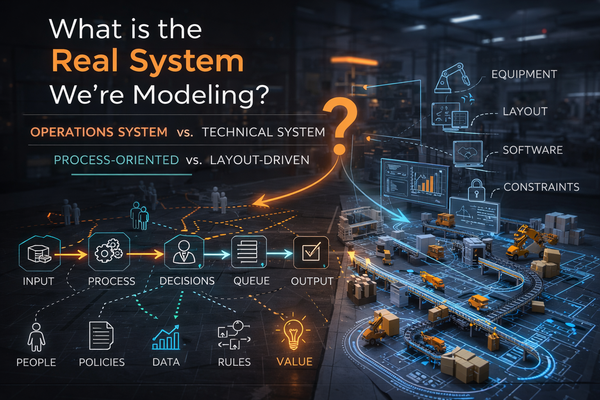
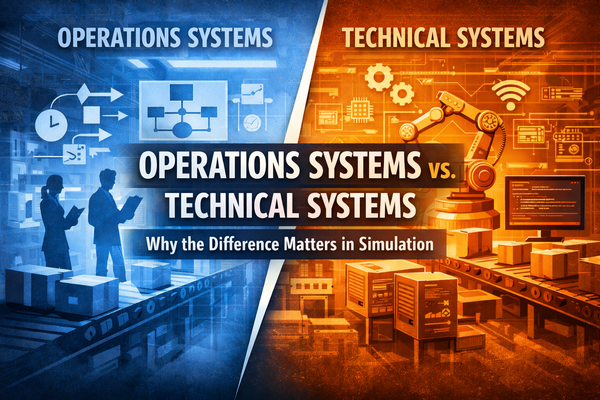
Operations systems are the rules, roles, and workflows that turn inputs into value; technical systems are the machines, software, and layouts that enable those workflows. This article clarifies the distinction, shows how the two interlock on a real packaging line, and explains when to use FlexSim’s Manufacturing versus Factory applications to model each perspective.
When performance lags, teams often swap equipment (technical) when they really need to change policies, flow, or roles (operations). Or they rewrite procedures without addressing a robot’s cycle time or a conveyor’s speed limit (technical constraints). Clear language prevents expensive fixes that don’t move the needle.
- Operations system: how value flows: takt, scheduling, WIP rules, staffing, standard work, escalation, KPIs.
- Technical system: what executes the work: machines, robots, conveyors, PLCs and sensors, MES/ERP/SCADA, tooling, and the physical layout.
Key idea: Technical systems enable and constrain the operations system. Operations policies determine how the technical assets are actually used.
FlexSim in this context: Manufacturing vs. Factory
FlexSim highlights two application perspectives that map neatly onto the distinction above.
Manufacturing (operations-centric)
- Purpose: Analyze flow, throughput, queues, labor plans, and scheduling.
- Strengths: Process logic, resource rules, WIP policies, scenario testing, KPI tracking.
- Use when: You’re tuning takt time, buffer sizes, shifts, batching, or dispatching rules.
Factory (technical/layout-centric)
- Purpose: Build realistic 3D facility layouts with the right equipment objects.
- Strengths: Conveyors, stations, forklifts/AGVs, quick drag-and-drop, CAD alignment, stakeholder-friendly visuals.
- Use when: You’re testing line reconfiguration, aisle widths, reach, safety clearances, or equipment placements.
Snapshot comparison
Focus Area | Manufacturing | Factory |
|---|---|---|
Primary question | “How should work flow?” | “Where should assets go and how do they fit?” |
Typical changes | Policies, sequencing, WIP rules, staffing | Layout, conveyor lengths, robot positions |
Outputs | Throughput, cycle time, utilization, WIP | Travel paths, clearances, congestion visuals |
Best audience | IE/Lean/ops analysts | Facilities, ME, stakeholders needing visuals |
In practice, you’ll often use both: iterate operations policies in Manufacturing and validate equipment/layout feasibility in Factory—then loop.
A Concrete Hypothetical Example: Packaging Line Improvement
Hypothetical Problem
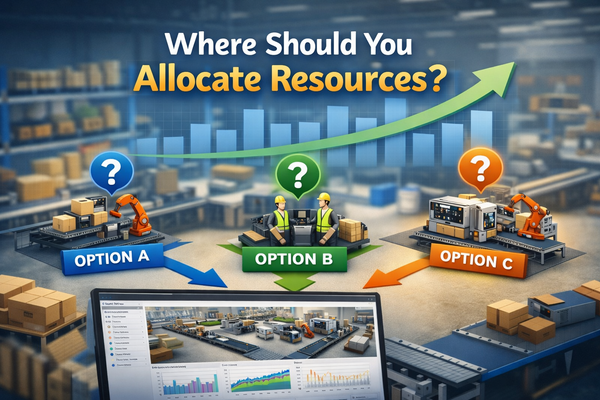
A Consumer Packaged Goods (CPG) plant misses a 28-cases/min target. Management debates a new robot (technical) vs. adding a buffer (operations).
Operations first (Manufacturing Application)
- Capture demand/takt, demand variability, shift patterns.
- Set WIP policy between forming → filling → case packing → palletizing.
- Test dispatching rules and buffer sizes.
Hypothetical Finding: A 12-case buffer before case packing raises effective utilization and cuts starving time—throughput improves to 28.4 cpm without new hardware.
Technical verification (Factory Application)
- Place conveyors, case packer, palletizer, scanners, and guards.
- Check reach, accumulation length, and sensor positions for the 12-case buffer.
- Validate conveyor speeds and robot cycle time constraints.
Hypothetical Finding: The new buffer fits within the safety envelope; a minor conveyor re-rate is sufficient.
Hypothetical Result
Target met via policy/layout tweaks; capital spend deferred. The operations system change only worked because the technical system could support it—and the technical feasibility only mattered because the operations rules demanded it.
Fast checks you can run in FlexSim
Operations System checks (Manufacturing):
- What buffer size achieves takt with lowest WIP?
- Which sequencing rule minimizes starving/blocking?
- How do shift patterns and breaks affect bottlenecks?
- Labor pooling vs. dedicated operators—what’s the trade-off?
Technical system checks (Factory):
- Do conveyors accumulate the required WIP at chosen speeds?
- Are robot reach, EOAT clearances, and guard zones compliant?
- Do aisles bottleneck forklifts/AGVs near high-volume nodes?
- Can controls/sensors support the new policy (e.g., bidirectional accumulation)?
Avoid the two classic failure modes
- “New machine will fix it.”
If starving/blocking is policy-driven, faster hardware just idles faster. - “Rewrite the SOP.”
If a robot’s cycle time or conveyor length is the true constraint, new rules won’t lift throughput.
The recipe: Model operations first, then prove technical feasibility, and iterate.
Implementation roadmap
- Map the value stream → note takt, variability, buffers, and decision rules.
- Build the Manufacturing model → encode policies, labor, and WIP.
- Identify constraints and candidate changes → rank by ROI and risk.
- Mirror the candidate layout in Factory → check reach, speeds, safety, and service access.
- Stress test → include downtime, rework, and peak demand.
- Deploy with standard work + controls settings → keep the model as a live digital reference.
Takeaway
- Operations systems determine how work should flow.
- Technical systems determine what the assets can do and how they fit.
- FlexSim’s Manufacturing and Factory views let you optimize both sides and—crucially—keep them consistent.